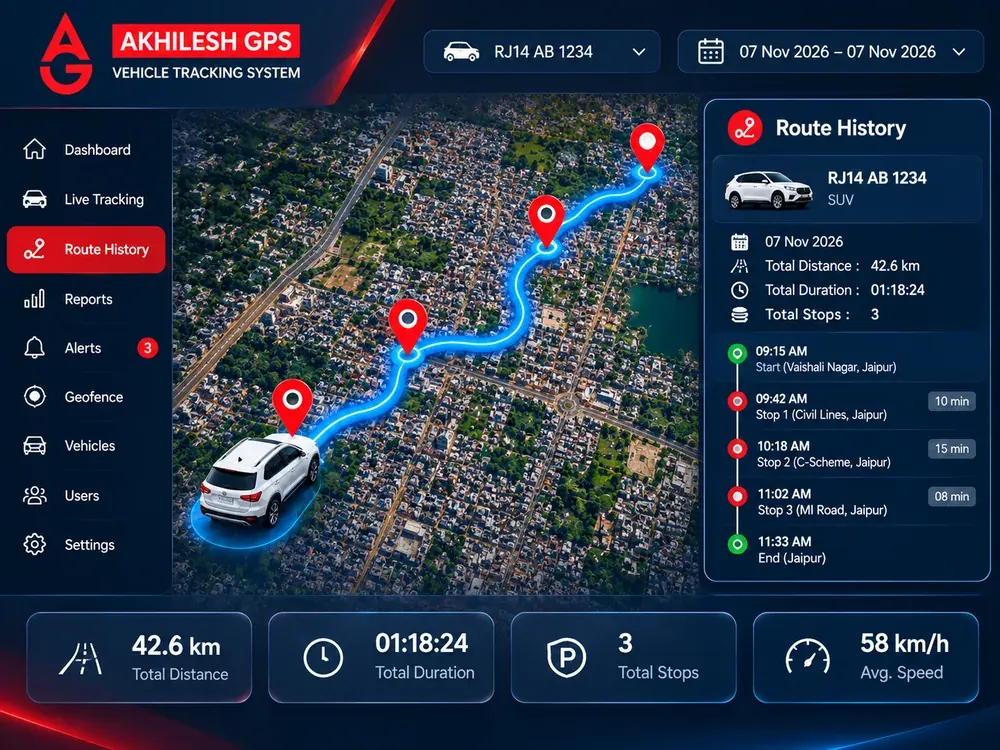
Akhilesh GPS features at a glance
The Akhilesh GPS platform brings tracking, alerts, reports and security features into one place. Whether you own one car or run a fleet of many trucks, the features work for your needs. Below, each feature is explained simply so you can see which ones matter most to you.
Real-time tracking
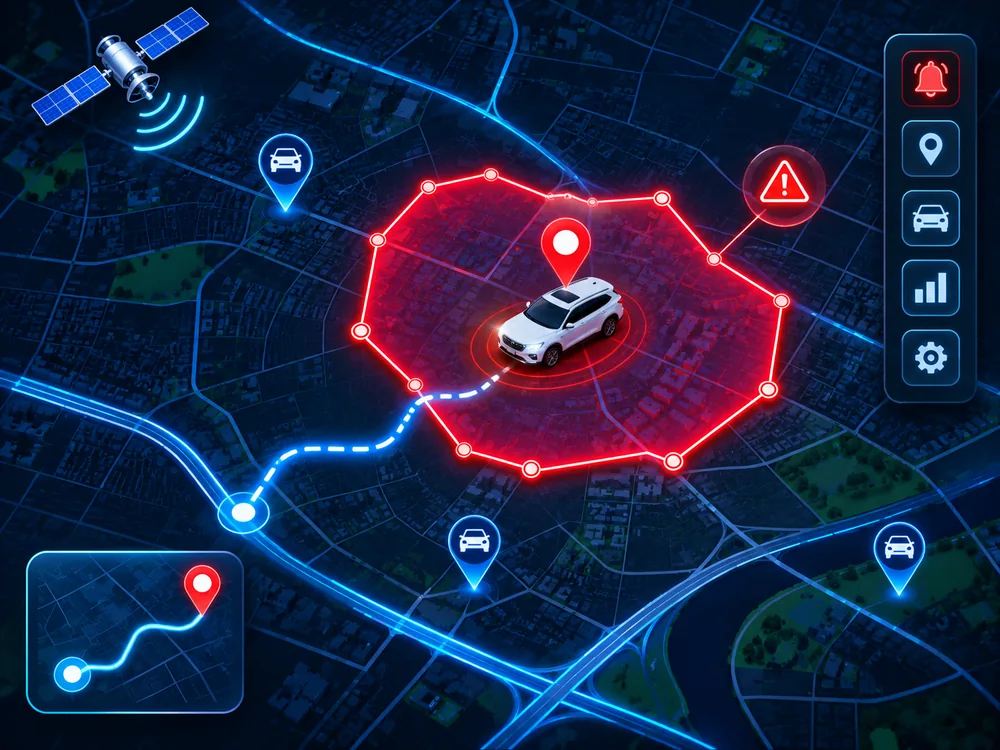
Real-time tracking means the vehicle's location is updated live on the map. Movement is shown on the map, and the last known location is recorded. This is useful both during theft and for daily monitoring. Update timing may vary slightly depending on the network and signal.
Geo-fencing and smart alerts
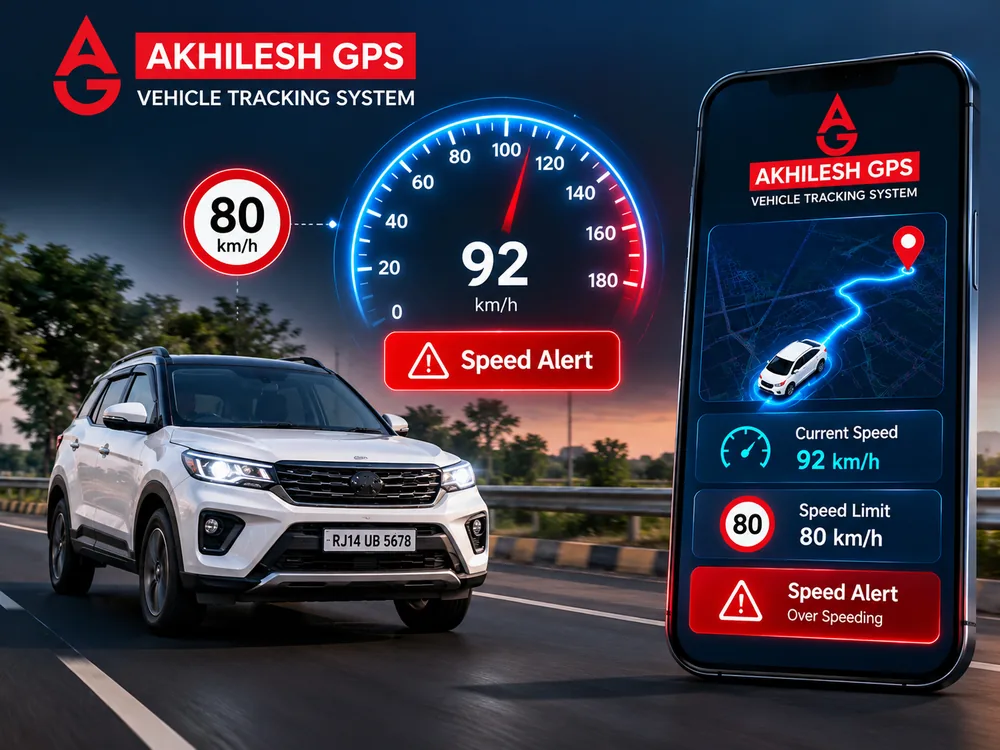
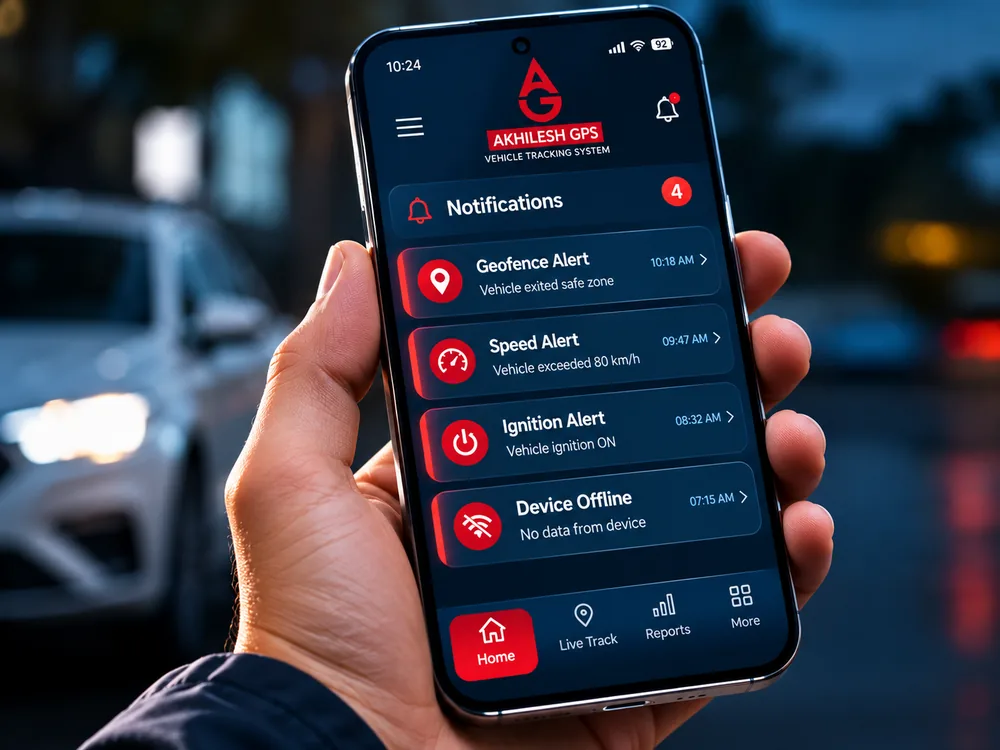
With geo-fencing, you draw a virtual boundary on the map, such as around your home, office or depot. When the vehicle leaves or enters this boundary, you receive an SMS and an app notification. Smart alerts include overspeed, hard braking, engine on/off and low battery notifications.
Reports and analytics
Trip history, fuel consumption, speed violations and driver behaviour reports can be viewed in one click. These reports help with monthly reviews and decision making. Fleet owners also use them for billing and driver training.
Driver and fleet management
Driver management shows each driver's behaviour score, timing and route compliance. Fleet management shows the status of multiple vehicles on one screen. Maintenance alerts send reminders for service, oil change and tyre checks, which can reduce the risk of breakdowns.
Fuel monitoring and immobilizer
Fuel monitoring sends an alert for sudden fuel drops and extra consumption. The remote immobilizer gives you the option to stop the engine during a theft. Together, these features help with both savings and security.
Mobile app and dashboard
The Akhilesh GPS mobile app is available on Android and iOS. The app is simple and needs no technical knowledge. The web dashboard is better for viewing reports on a larger screen. Both show the same synced data.
Support and installation
Technicians handle installation, and support is available 24 hours a day, 7 days a week. Call or WhatsApp us at 096020 18631 to talk to us.
How to choose features
Not every fleet or car owner needs every feature. A family car owner may find geo-fencing and location during a theft most important. A transport company may find fuel monitoring, route reports and driver behaviour most important. Start by choosing your top two or three needs, then give them the first priority.
How the dashboard works
On the dashboard, all vehicles appear in a list and on a map. Each vehicle shows its status, speed, last update and location at a glance. Filters let you view a specific vehicle or driver, and you can pull reports by date.
How to manage alerts
Too many alerts can become a nuisance. So turn on only the alerts you need. Overspeed, geo-fence exit, engine on/off and low battery alerts are usually the most useful. Review your settings from time to time.
Using reports well
Reports are for decisions, not just for viewing. A monthly fuel report helps with budget planning. A driver report helps decide on training. Trip history can provide proof to a client. Each report should have a clear purpose.
- Choose your top need first
- Keep alerts few and useful
- Review reports monthly
- Share the dashboard with your team
The real use of each feature
Live tracking is not only for seeing a car on the map. It is most useful during theft, and it also helps with daily route planning. Geo-fencing is used for an office, home or depot. Reports are used for monthly budgeting and driver reviews.
Support and training
A new dashboard can feel unfamiliar at first. That is why basic training is given after setup, covering live tracking, alerts and reports. If your team has new members, they can also be trained.
Future updates
Technology keeps changing, so the platform is updated from time to time. Information about new features is shared through the app and by phone. If you need a particular feature, please send us a request.
How a Vehicle GPS Tracking System Works
A vehicle GPS tracking system has three parts: a device in the vehicle, a server and an app. The device finds its location from GPS satellites, sends it over a mobile network, and you see it on a live map on your phone or computer. Learn the basics in what is a GPS tracker, or compare device types in our GPS tracking device guide.
For Which Vehicles
The same system works for cars, bikes, trucks, school buses and taxis, and one account can hold a single vehicle or a whole fleet.